Rescheduling a Job
Roopairs allows you to reschedule a job. To learn more follow these steps!
Reschedule a Job
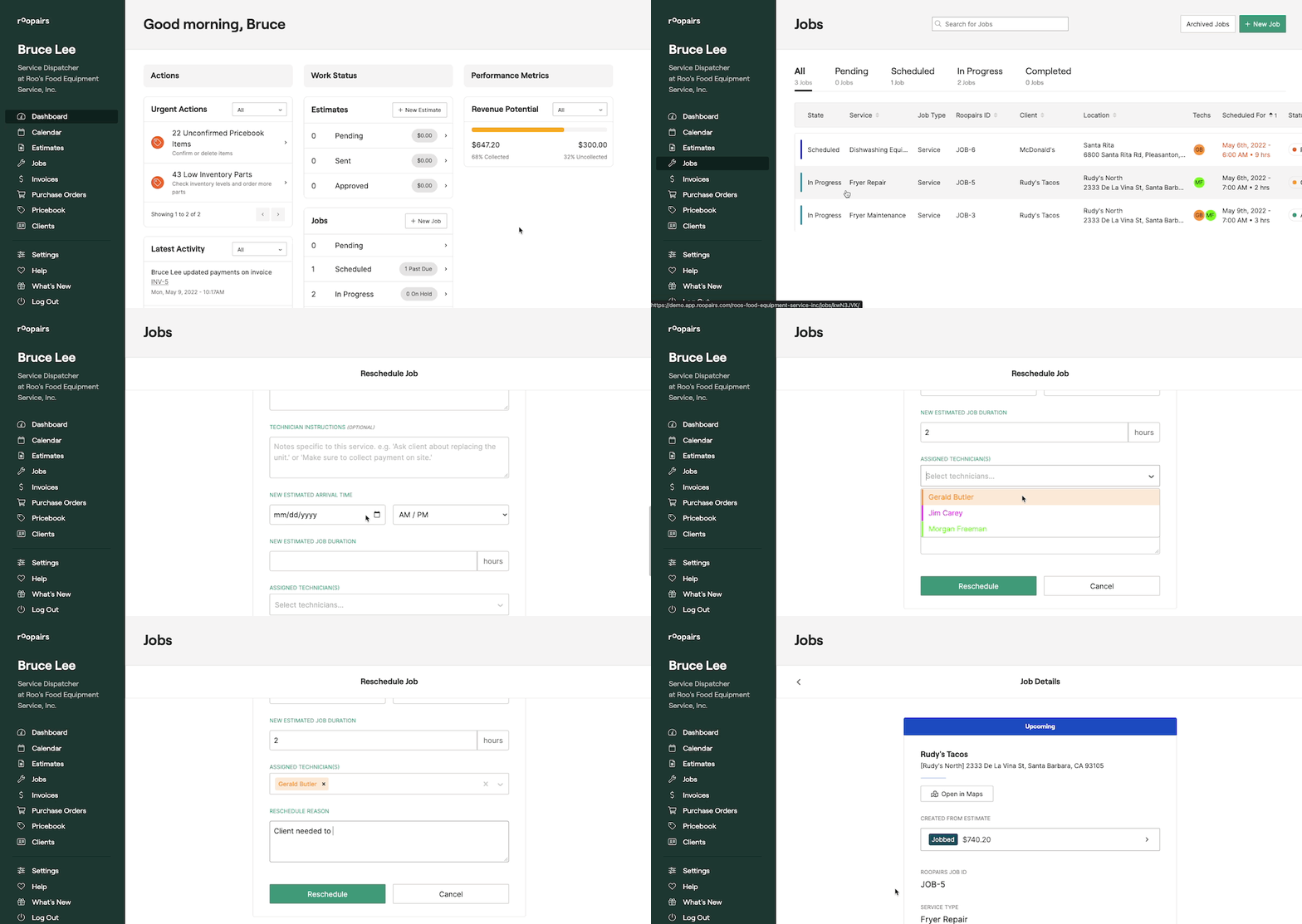
Navigate to the Jobs section of the dashboard and select the status the current Job is in that you would like to edit.
- Or click on
Jobson the left navigation bar and then select from the list of jobs the one you wish to reschedule. - Once you have selected your Job, scroll to the bottom of the page and click
Reschedule Job. - Select your New Estimated Arrival Date and Time.
- Select your New Estimate Job Duration.
- Enter in your Reason for Rescheduling the Job.
- Assign your technicians.
- Scroll to the bottom of the page and click
Reschedule.
Was this helpful?